
A complete tutorial for Continuous Integration Tool : Jenkins
What is Continuous Integration?
“Continuous Integration is a software development practice where members of a team integrate their work frequently, usually each person integrates at least daily - leading to multiple integrations per day. Each integration is verified by an automated build (including test) to detect integration
errors as quickly as possible” – Martin Fowler
CI - Workflow

CI - Benefits
- — Immediate bug detection
- No integration step in the lifecycle
- A deployable system at any given point
- — Record of evolution of the project
Jenkins

About Jenkins
- Branched from Hudson
- —Java based Continuous Build System
- Runs in servlet container
- Glassfish, Tomcat
- Supported by over 400 plugins
- SCM, Testing, Notifications, Reporting, Artifact Saving, Triggers, External Integration
- Under development since 2005
- http://jenkins-ci.org/
Jenkins - History
- 2005 - Hudson was first release by Kohsuke Kawaguchi of Sun Microsystems
- 2010 – Oracle bought Sun Microsystems
- Due to a naming dispute, Hudson was renamed to Jenkins
- Oracle continued development of Hudson (as a branch of the original)
What can Jenkins do?
- Generate test reports
- —Integrate with many different Version Control Systems
- Push to various artifact repositories
- Deploys directly to production or test environments
- Notify stakeholders of build status
- …and much more
Step By Step : Process to Install and Configure Jenkins With your Script.
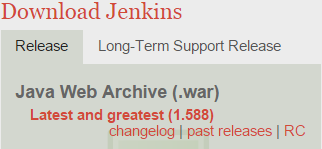
1) Download Jenkins by clicking here:
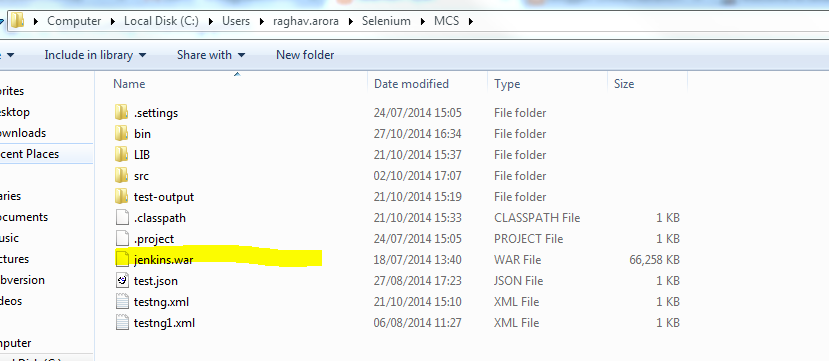
2) Keep the downloaded Jenkins.war file where your project is placed. For Example:
3) Open Command Prompt and go to the project path. Like:

4) After going to that path, write java -jar jenkins.war and press Enter.


